


The TODO Desklet for Linux Mint Cinnamon is a lightweight, themeable desktop widget that lets you manage your tasks directly from your desktop.
Instead of opening a separate TODO app, this desklet keeps your task list always visible. It helps you stay organized with zero friction.
This desklet is designed to be fast, simple, and distraction-free. There's no bloat — just a clean TODO list that integrates naturally into your Cinnamon desktop.
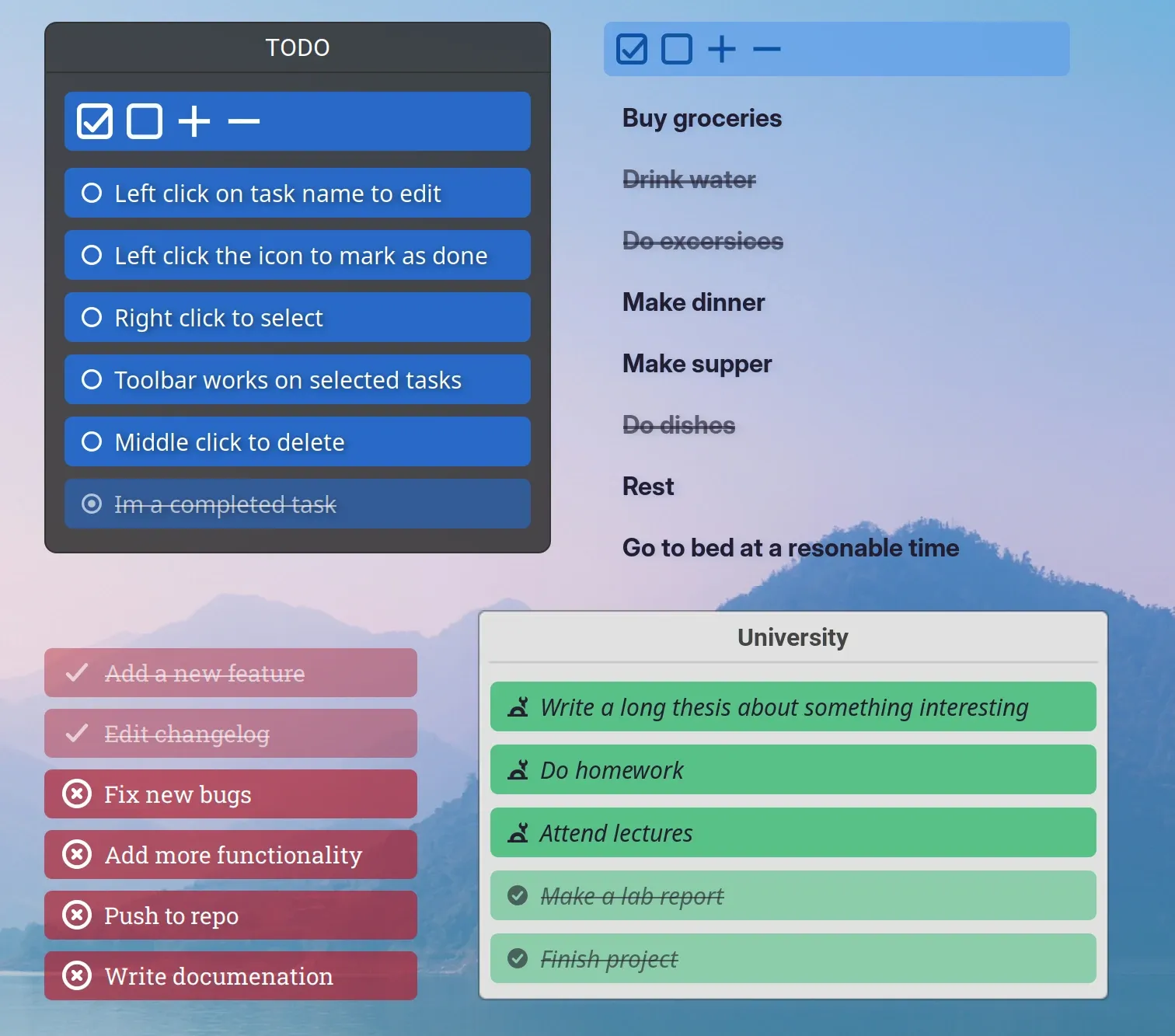
Who Is the TODO Desklet For?
The TODO Desklet is ideal for:
- Users who want a lightweight TODO list
- People who dislike opening a separate app just to track tasks
- Anyone who benefits from seeing their tasks on the desktop
- Minimalists who prefer simple productivity tools
Because it lives directly on your desktop, your tasks are always in sight - helping you remember and prioritize without effort.
Customization Options
The TODO Desklet is highly customizable to match your desktop theme:
- Change colors, fonts, and icons
- Adjust task spacing and borders
- Add transparent borders for better visibility
- Disable desklet decorations for a cleaner look
- Multicolumn view
These options make it easy to blend the desklet into any Cinnamon theme or workflow.
How to Use the TODO Desklet
You can manage tasks directly from the desklet using simple mouse actions:
- Left-click task name — Edit task
- Left-click task icon — Mark task done / not done
- Middle-click — Remove task
- Right-click — Select multiple tasks or open menu
- Shift + Enter — Add multi-line tasks
You can also add new tasks from the right-click menu or using the built-in toolbar.
Productivity Tips
- Create multiple TODO lists using the “+” button in Desklet Manager
- Backup your desklets using the Export / Import option in settings
- Adjust scaling and restart Cinnamon if display scaling affects layout
- Use invisible borders to move the desklet even with decorations disabled
Why Use the TODO Desklet?
If you want a simple, always-visible task manager for Linux Mint Cinnamon, the TODO Desklet is an excellent choice. It improves productivity by keeping your tasks front and center — without clutter, extra apps, or distractions.
Where the Desklet is located?
Notes are stored in JSON file i.e. 37.json in the following folder:
~/.config/cinnamon/spices/todo@NotSirius-A
Using the above file you can export or save all the tasks at once. You can also backup the file in case of a need to restore it.
The installation folder is located in:
~/.local/share/cinnamon/desklets/todo@NotSirius-A