


The best way to organize Obsidian notes isn't a single system you copy and paste from a productivity guru—it's a method that evolves with how you actually think. Adapt your mental model to the real world issues and patterns.
The best way to describe this article is by this quote from Rumi:
Yesterday I was clever, so I wanted to change the world. Today I am wise, so I am changing myself.
Obsidian's greatest strength is also its biggest challenge: it gives you complete freedom. No forced hierarchies, no rigid structures, no predetermined workflows. That blank canvas can feel liberating or paralyzing, depending on how you approach it.
After years of tinkering with my own vault and watching countless others build (and rebuild) theirs, I've come to believe that sustainable Obsidian organization rests on three principles: capture first, structure later; trust links over folders; and design for your future self.
Let me walk you through what actually works.
Start With the "Dump," Not the Architecture
The most common mistake new Obsidian users make is spending three days designing an elaborate folder structure before writing a single note. They research PARA, Zettelkasten, and Johnny Decimal, create beautifully nested hierarchies, and then find themselves paralyzed every time a note doesn't fit neatly into one category.
The truth is, you can't architect a system for information you don't have yet. Your early days with Obsidian should be deliberately messy. Create an "Inbox" or "Fleeting" folder and dump everything there—meeting notes, book highlights, random ideas, project drafts. Don't file anything during this phase. Just capture.
After a few weeks, patterns will emerge organically. You'll notice you're taking a lot of notes about a particular subject. You'll see connections between ideas you didn't expect. This is when you start building structure—not from a template, but from the shape of your own thinking.
The PARA Method: A Practical Foundation
If you need a starting framework, Tiago Forte's PARA (Projects, Areas, Resources, Archives) works exceptionally well in Obsidian because it organizes by actionability rather than subject matter. Instead of asking "What is this note about?" you ask "What is this note for?"
- Projects have deadlines and outcomes: "Launch Website," "Write Annual Report," "Plan Conference Talk"
- Areas are ongoing responsibilities without endpoints: "Health," "Finances," "Team Management"
- Resources are reference materials for topics that interest you: "Python Programming," "Behavioral Economics," "Gardening"
- Archives hold completed projects and inactive items from the other three categories
The beauty of PARA in Obsidian is that it creates just enough structure to keep you oriented without over-categorizing. A note about sleep optimization might start in a "Better Sleep" project, then move to your "Health" area once the project ends, and eventually become a resource if you keep referencing it. The note stays the same—only its context changes.
Set PARA as your top-level folder structure, but don't treat it as religion. Many users find that adding a "Map of Content" folder or a "Daily Notes" folder alongside PARA makes the system more functional for their specific workflow.
Maps of Content: Your Navigation Layer
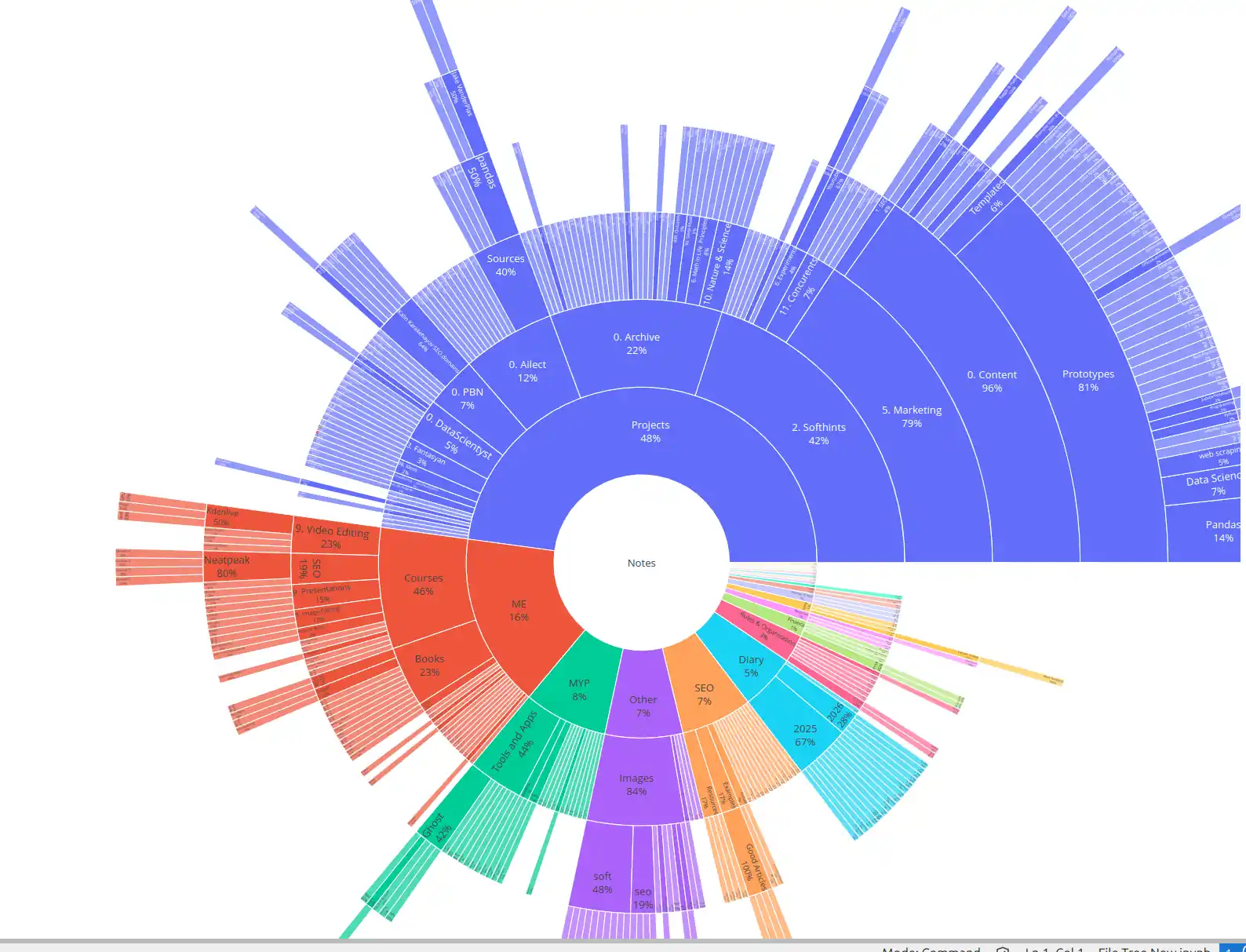
Folders in Obsidian should do minimal organizational work. They're essentially broad buckets. The real organizational magic happens through Maps of Content (MOCs)—notes whose primary purpose is to link out to other related notes, creating curated pathways through your knowledge.
Think of MOCs as the difference between a library card catalog and a guided tour. A folder structure is the catalog: accurate, comprehensive, and boring. An MOC is a knowledgeable friend saying, "If you're interested in cognitive psychology, start with these five notes, then branch into the bias collection, and don't miss the connection to decision-making frameworks."
Create MOCs whenever you notice yourself thinking, "I have a lot of notes about this." A note titled "[[Cognitive Biases]]" might link to twenty individual bias notes, plus related MOCs for "[[Decision Making]]" and "[[Behavioral Economics]]." Over time, these MOCs form a web of entry points into your thinking, making your vault navigable by idea rather than by file path.
The linking syntax [[like this]] is what makes this possible. Every time you mention a concept that exists (or should exist) as another note, link it. Don't worry about whether the note exists yet—Obsidian will create a placeholder, and you can fill it in later. These bi-directional links automatically generate a "linked mentions" section at the bottom of each note, showing you every other note that references it. This emergent structure reveals connections you'd never anticipate from a folder hierarchy alone.
Tags vs. Links: Use Both, But Differently
There's an ongoing debate in the Obsidian community about whether to rely on tags or links for organization. The answer is both, but for different jobs.
Use links for nouns—specific concepts, people, projects, and ideas that merit their own note. Links create relationships and enable MOCs. When you write "As [[Nick Milo]] suggests in his [[Linking Your Thinking]] framework," you're building a semantic web.
Use tags for adjectives—properties that cross categories and don't need their own note. #in-progress, #synthesis-needed, #waiting-on, #quote, #book-excerpt. These are process markers and filtering mechanisms. They're particularly powerful when combined with Obsidian's search and query blocks, letting you create dynamic lists like "Show me all notes tagged #in-progress in my Writing Projects folder."
Avoid the temptation to create tags for broad subjects like #productivity or #psychology. That's what links and MOCs are for. Tags should answer the question "What state is this note in?" or "What type of note is this?" rather than "What is this note about?"
The Daily Note as Anchoring Practice
If you adopt only one habit in Obsidian, make it Daily Notes. This single practice transforms Obsidian from a static filing cabinet into a living thinking environment.
Your daily note serves as a temporal anchor. It's where you log what you worked on, capture fleeting thoughts, record decisions, and link to deeper notes you created or modified that day. When you're unsure where to put something, put it in today's daily note and link it to the relevant topic note. Later, you can find it through the topic note's backlinks.
Format your daily note as a lightweight journal with structure: a morning intention, a running log of the day, a section for captures and ideas, and evening reflection. Use Obsidian's templates feature to auto-generate this structure with the current date, a prompt, and any standard sections you want.
The compound effect of daily notes is remarkable. Six months in, you can search for any date and reconstruct not just what you did, but what you were thinking. More importantly, because you've been linking concepts as you encounter them, your knowledge base has been quietly building itself in the background.
Templates: Reduce Friction, Not Thinking
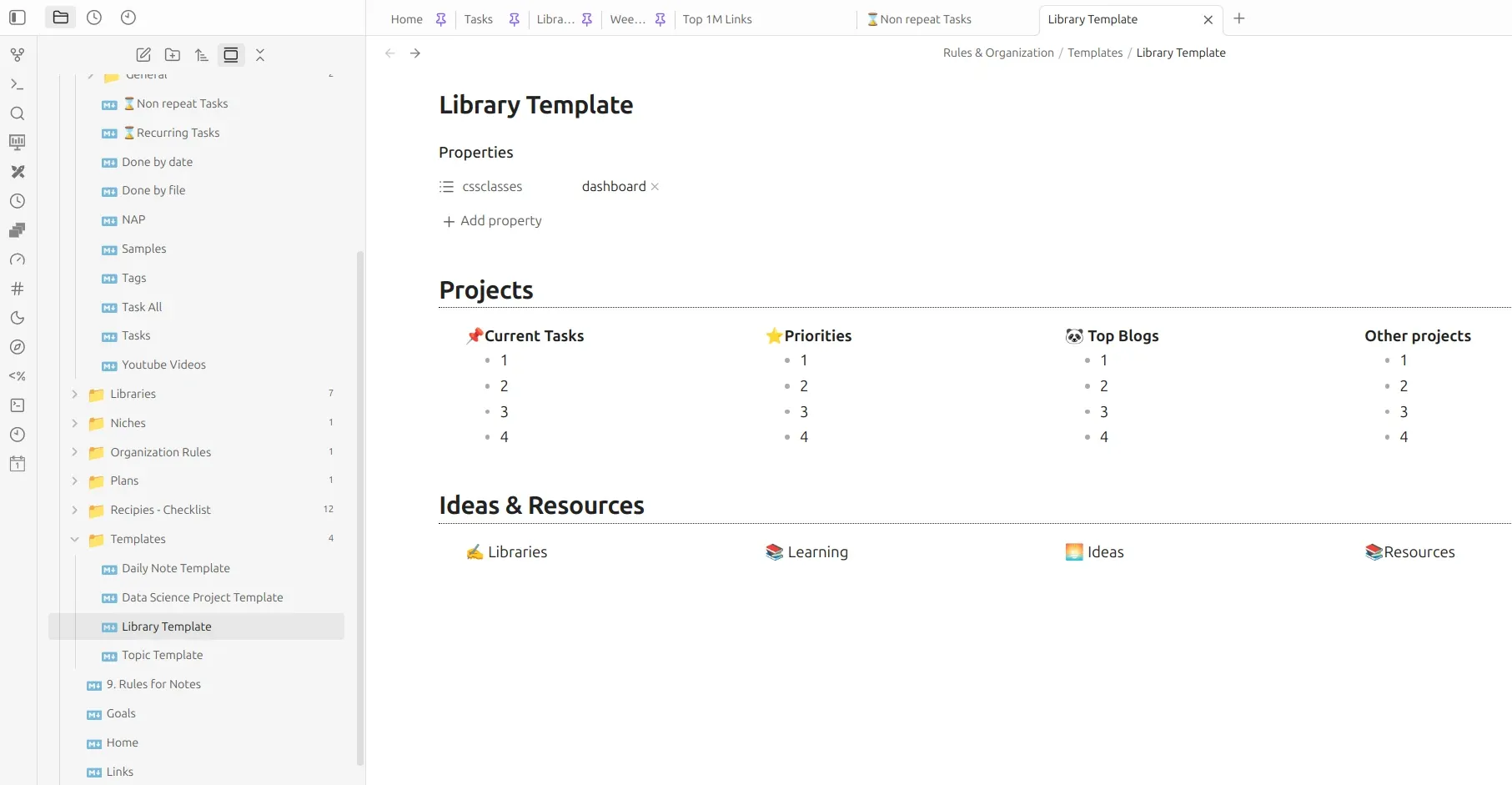
Templates are essential for consistency, but they should handle formatting, not content. Create templates for different note types: literature notes for books and articles, permanent notes for distilled ideas, project notes for active work, meeting notes for conversations.
A good literature note template might include metadata (author, source, date read), a summary section, key quotes with page numbers, your own reflections, and links to related concepts. This structure ensures you capture what matters without forcing every book into the same intellectual Procrustean bed.
Keep templates simple. The goal is reducing friction so you capture more, not creating such elaborate templates that maintaining them becomes its own chore.
Periodic Reviews: The Missing Piece
No organizational system survives contact with reality without maintenance. Schedule a monthly vault review—thirty minutes to an hour where you tend your digital garden.
During review, look for orphan notes (notes with no inbound or outbound links) and connect them to something. Check your inbox folder and file or delete what's there. Update your MOCs if new clusters of notes have formed. Move completed projects to archives. Add #synthesis-needed to notes that have accumulated raw material but lack your own thinking.
This maintenance prevents the slow entropy that turns promising vaults into graveyards of forgotten notes. It also surfaces patterns—ideas that keep recurring, connections that strengthen over time, projects that have outlived their usefulness.
The Meta-Skill: Letting Go of Perfection
The ultimate organizational skill in Obsidian isn't technical—it's psychological. Your vault will never be perfectly organized because your thinking will never be perfectly organized. There will always be notes that resist categorization, links you forgot to make, and structures that made sense six months ago but feel awkward now.
This is not only acceptable; it's the point. A perfectly organized vault would be a dead vault. The slight friction of an imperfect system is what keeps you engaged with your own ideas. You want enough structure to find things when you need them, and enough chaos to surprise yourself with unexpected connections.
Start with PARA if you need scaffolding. Lean heavily on daily notes and links. Build MOCs as your thinking matures. Review monthly. But above all, write notes that are worth finding later. No folder structure in the world can save a vault full of hollow, thoughtless captures.
The best way to organize Obsidian notes is to start today, stay messy longer than you're comfortable with, and trust that clarity emerges from use—not from planning.
Short final tips
A handful of quiet principles to carry with you
-
Zoom out before you zoom in. Think top-down: from continents to cities. Map your world in broad strokes first—Work, Learning, Personal—then gradually add detail. A rough sketch of the big picture prevents you from drowning in the details before you’ve even found the shore.
-
Divide when it groans, not when it’s neat. If a folder feels crowded or a vault starts to blend too many worlds together, split it. But don’t slice just for the sake of symmetry. Let real friction guide the division. When a vault grows genuinely large, separate thematic ones naturally—Music, Research, Side Projects—rather than prematurely.
-
Keep what matters, release the rest. Aggressively prune anything you won’t need or can easily find again. Too many notes equals nothing useful; a bloated vault is just another noisy attic. Focus on the essential, and trust that you don’t need to capture every breeze to understand the weather.
-
Stick to what works—and only what works. When something clicks, make it a simple, repeatable rule. Practicality beats purity. Don’t keep a tag taxonomy alive out of guilt; don’t maintain a folder system you dread. Be loyal to your own ease, not to your past decisions.
-
Keep it simple—genuinely simple. KISS is the most underestimated, most neglected rule, and also the hardest. Simplicity isn’t about doing less; it’s about doing only what serves you, and letting go of the rest with a clear heart. A vault of 200 linked notes you actually use will always outshine a cathedral of 2,000 you don’t.
-
Adapt, change, experiment without fear. Something breaking is part of the process, not a sign of failure. Vaults are meant to evolve. The structure that fits you in winter might feel like a cage by spring. Let it shift. The only real mistake is clinging rigidly to a plan that no longer breathes.
-
Shape while the clay is soft. Mold your system while you’re still forming it, not after it’s hardened into unshakable habit. Start with a rough vision, then let daily use smooth the edges. It’s easier to nudge a young practice than to overhaul a cemented one.
Remember: note organization isn’t a fixed state to achieve, and it’s certainly not a perfect shape waiting to be discovered. It’s a path you walk, day by day, note by note—a living rhythm, not a final destination.
Check also the next article: Seven Principles for Organizing Your Knowledge